
AI Agents That Resolve Data Incidents for You, or Alongside You

DataSentry™ is GSPANN's AI incident response system for data platforms. Its agents investigate each incident ticket, then either apply a governed fix or hand your engineers the evidence.

Your on-call engineers triage hundreds of data-platform alerts a day, and much of that volume is noise. When a real failure gets through, someone digs through siloed tools for hours while the business works from stale numbers. DataSentry™ runs that response as a governed workflow, from ticket to verified fix.

Product Screens

See Every Incident and Agent in One Console

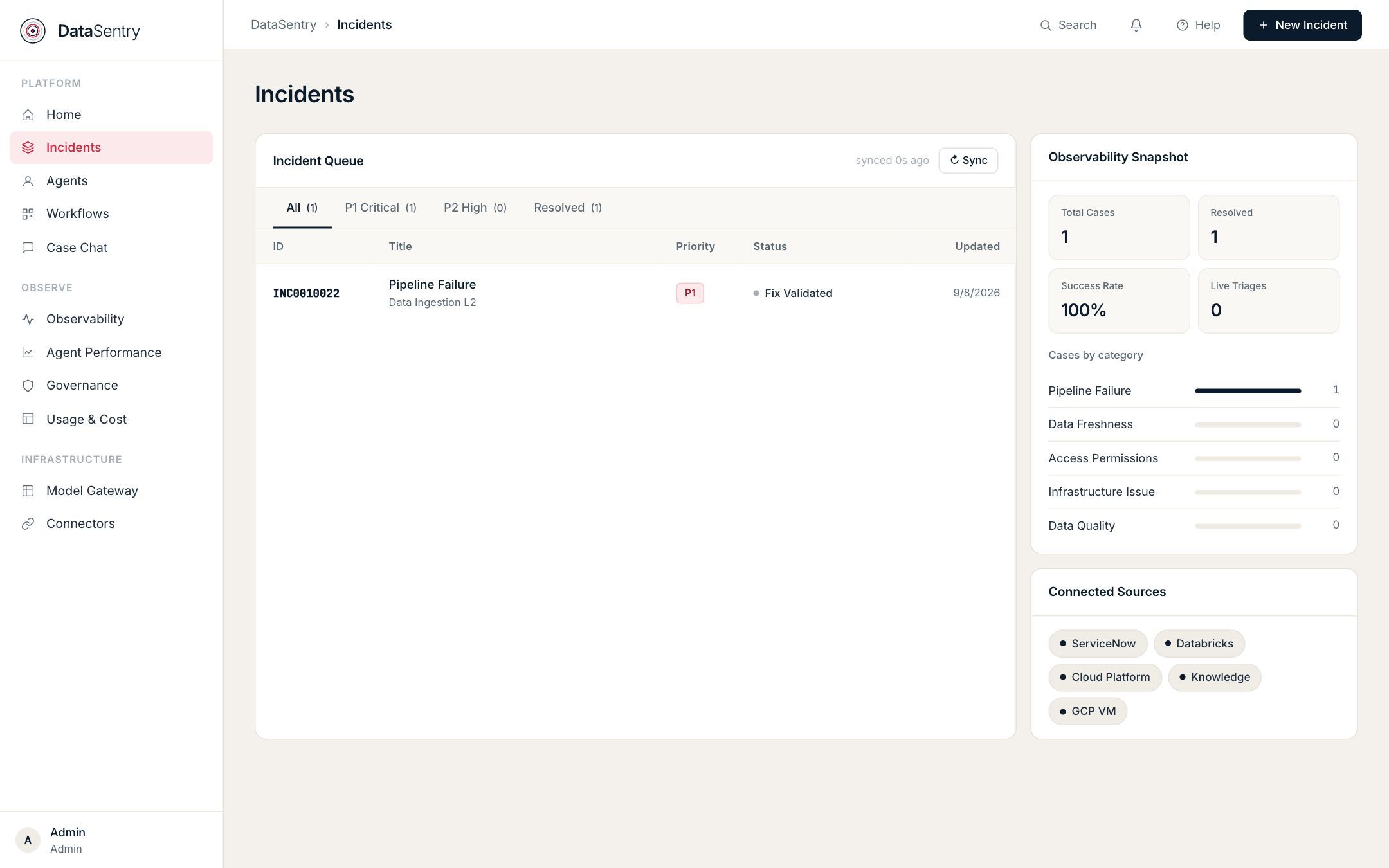
Incidents

Incidents

Every ticket that entered the system, what it was classified as, which team it went to, and where it ended up.

  • ✓ Filter the queue by priority or status
  • ✓ See case counts by category and which sources are connected
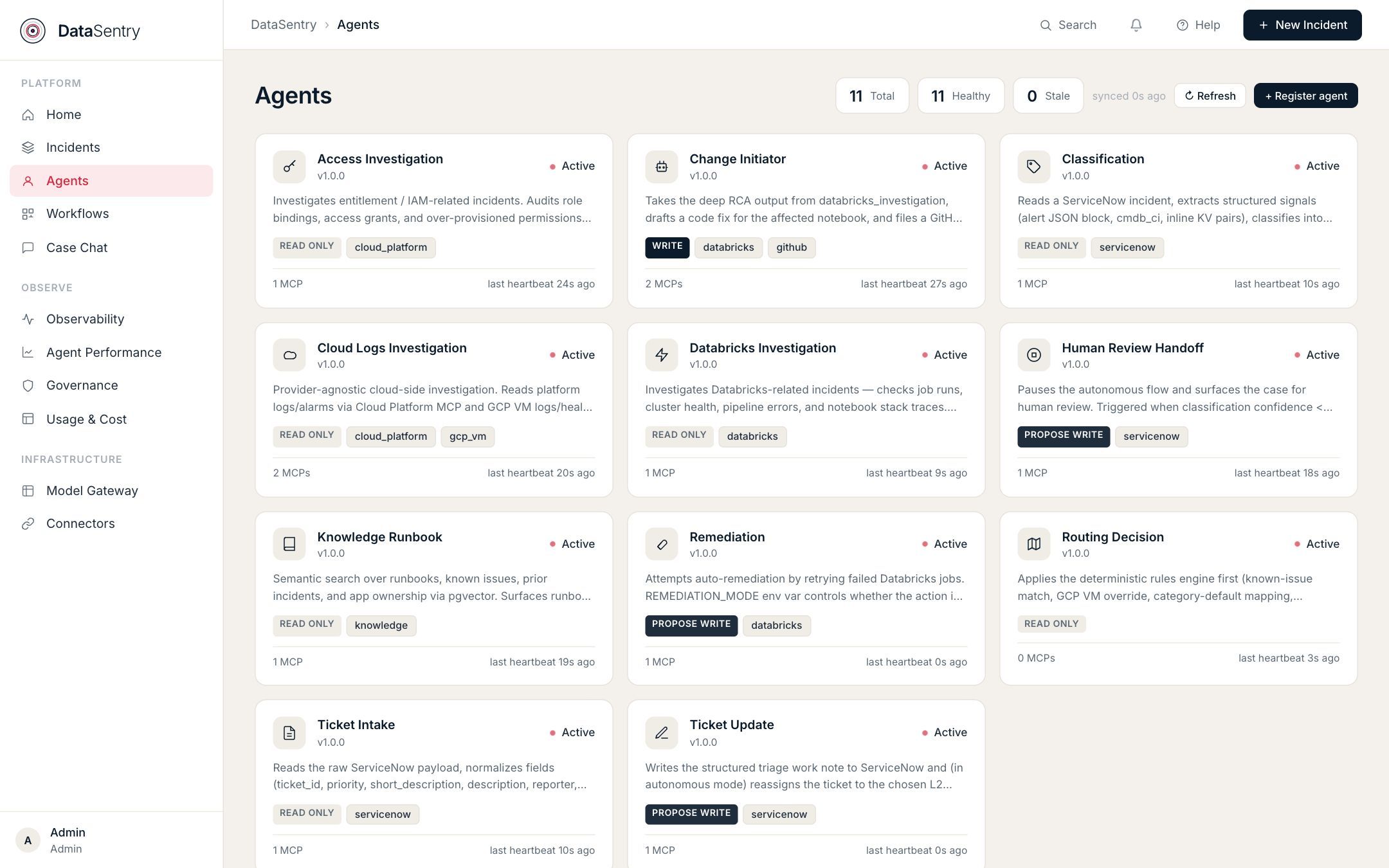
Agents

Agents

Specialist agents and their health. Each owns one job, such as classification, routing, Databricks investigation, remediation, or ticket updates.

  • ✓ Eleven agents run in the deployment shown, each with a live heartbeat
  • ✓ Each agent card shows its access level and the MCP connectors it uses
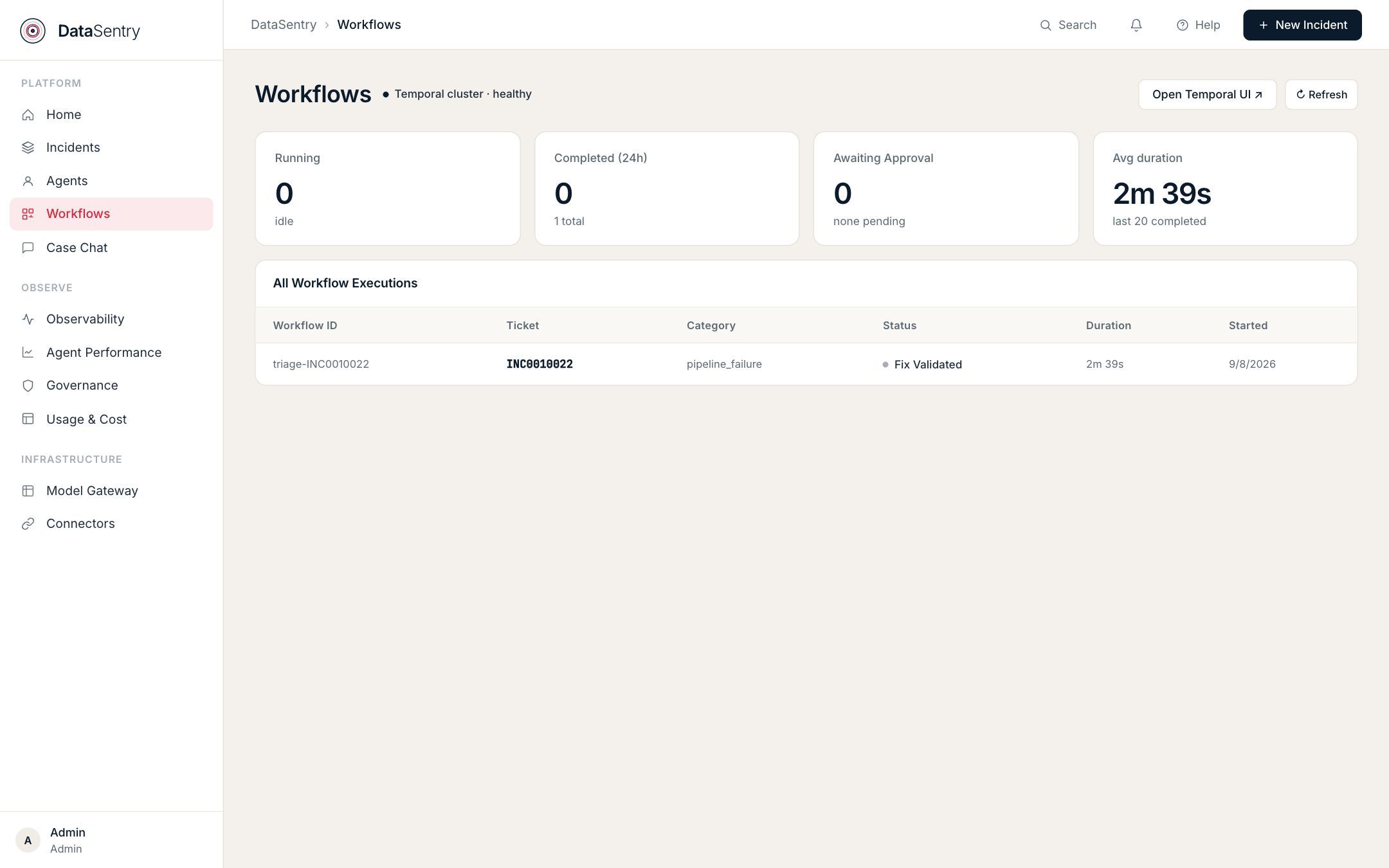
Workflows

Workflows

The durable pipelines that execute each triage. See which step a run reached, and where it retried or stopped.

  • ✓ Runs on a Temporal workflow engine with durable state
  • ✓ Runs waiting for a human approval are counted on the same screen
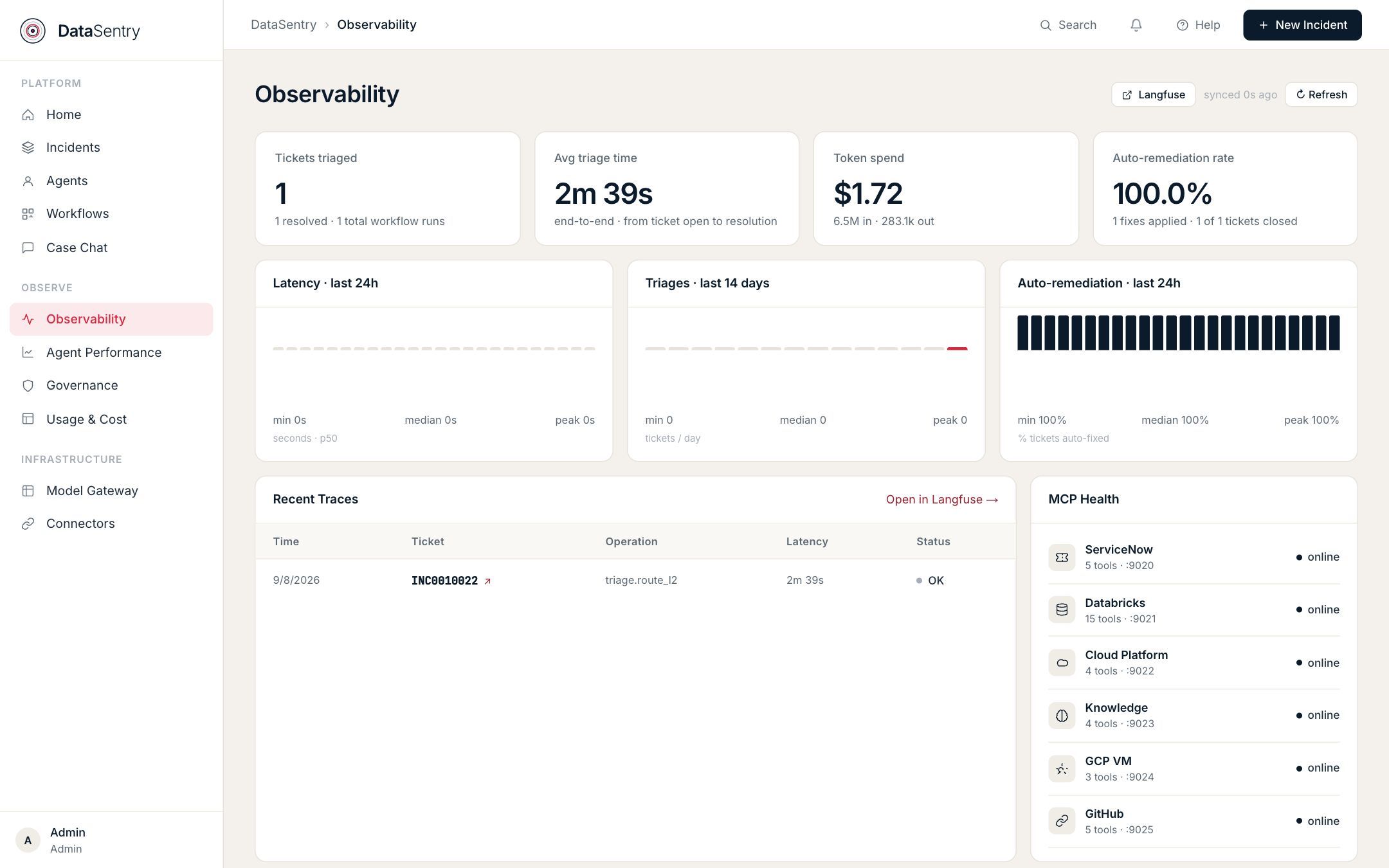
Observability

Observability

Live health of the whole system: tickets triaged, end-to-end triage time, token spend, and recent traces.

  • ✓ Open any trace in Langfuse
  • ✓ MCP health for every connected system, from ServiceNow to GitHub
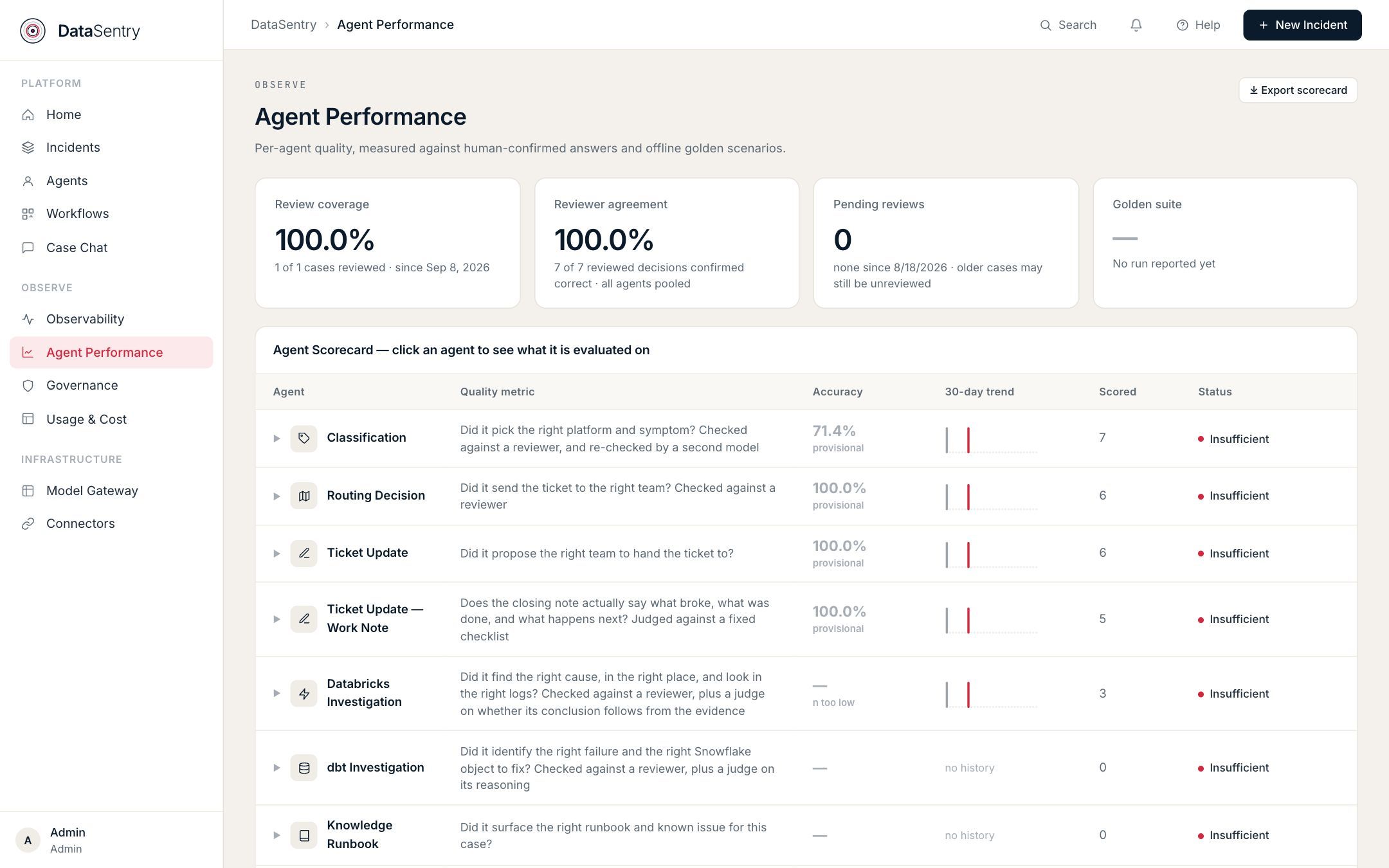
Agent Performance

Agent Performance

A scorecard for every agent, with its accuracy and 30-day trend.

  • ✓ Each agent is scored on a plain question, such as "Did it send the ticket to the right team?"
  • ✓ Export the scorecard for review
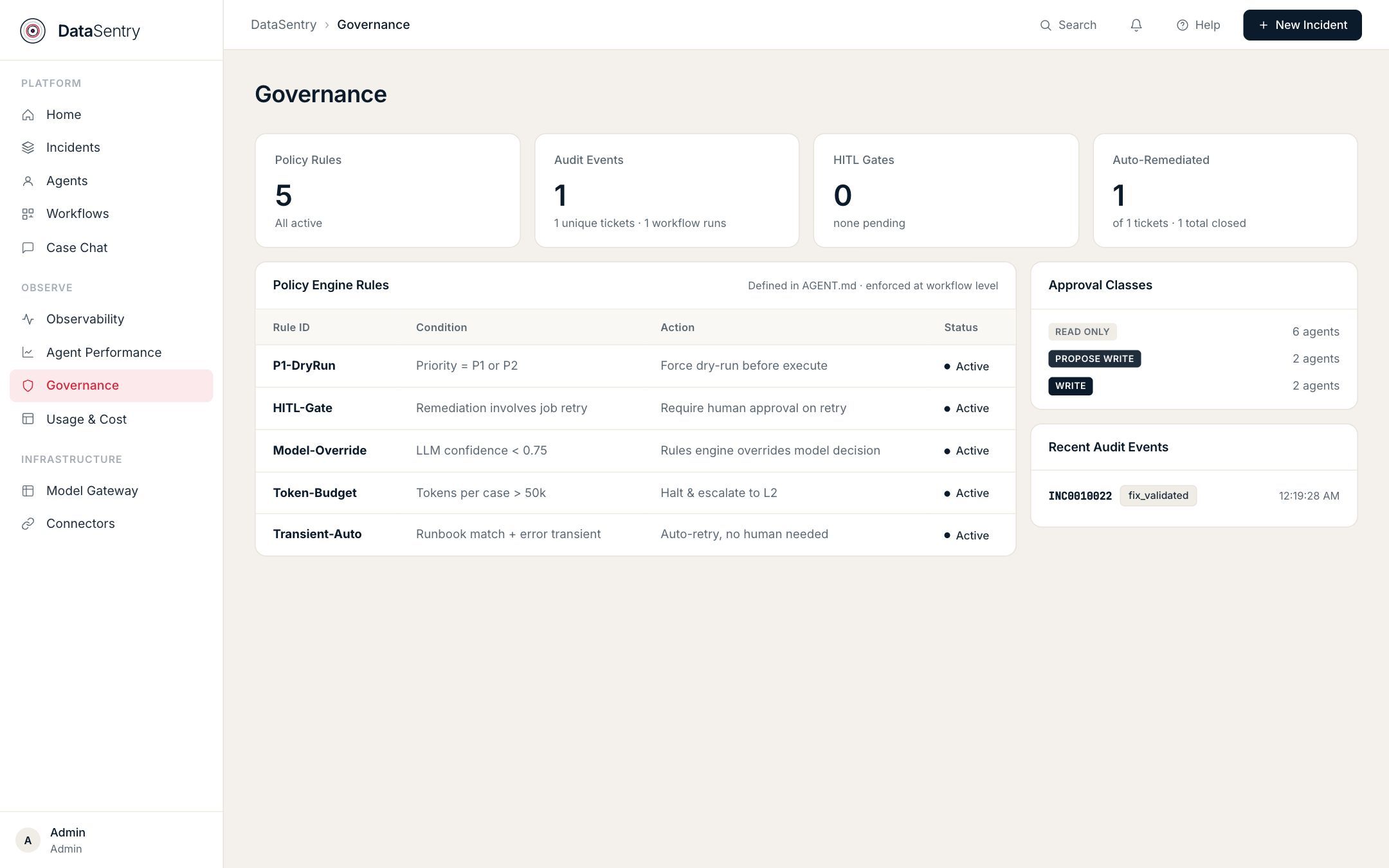
Governance

Governance

See the active policy rules and every case waiting for a human decision.

  • ✓ Recent audit events, with the ticket and the action taken
  • ✓ Approval classes show how many agents can only read and how many can write

See DataSentry Resolve an Incident

Book a walkthrough and watch a failed pipeline go from ticket to verified fix.