
CARBON

Data Pipelines You Configure, Not Code

CARBON™ is GSPANN's metadata-driven ingestion and ETL platform. One YAML file defines the source, target, extraction strategy, load pattern, mappings, and audit settings. Run it from the console, or hand it to the copilot and your own AI agents.

A new data source usually costs your team in one of two ways. Build it in Python or Spark, and your engineers maintain that code for as long as the pipeline runs. Buy a managed service, and your pipeline logic moves into its platform, billed by usage. CARBON™ is a custom-grade framework delivered as a product: each pipeline is a YAML file your team owns and can change.

Key Capabilities

What Changes for Your Data Team

No-Code Configuration

Declare source-to-target mappings in YAML. Guided screens generate and preview the YAML before you create a pipeline, or you can upload your own.

Extensible Connectors

Relational databases, SaaS APIs, cloud storage, and warehouses. Add a source by configuration. Forms are rendered from connector metadata.

Unified Audit and Monitoring

Every job logs and reports errors in the same format. Run history, row counts, throughput, and live logs sit in one console.

Portable Runtime

Open PySpark and SQL on any Spark-compliant runtime, so you can shift for cost or speed.

Duplicate-Run Protection

A running pipeline cannot be launched twice. Run state survives restarts, and orphaned runs are reconciled when the backend starts.

Built-In Catalog Discovery

Browse and search large catalogs of tables and objects. Columns and sample data load only when you ask for them.

Key Features

Run and Monitor Every Pipeline From One Console

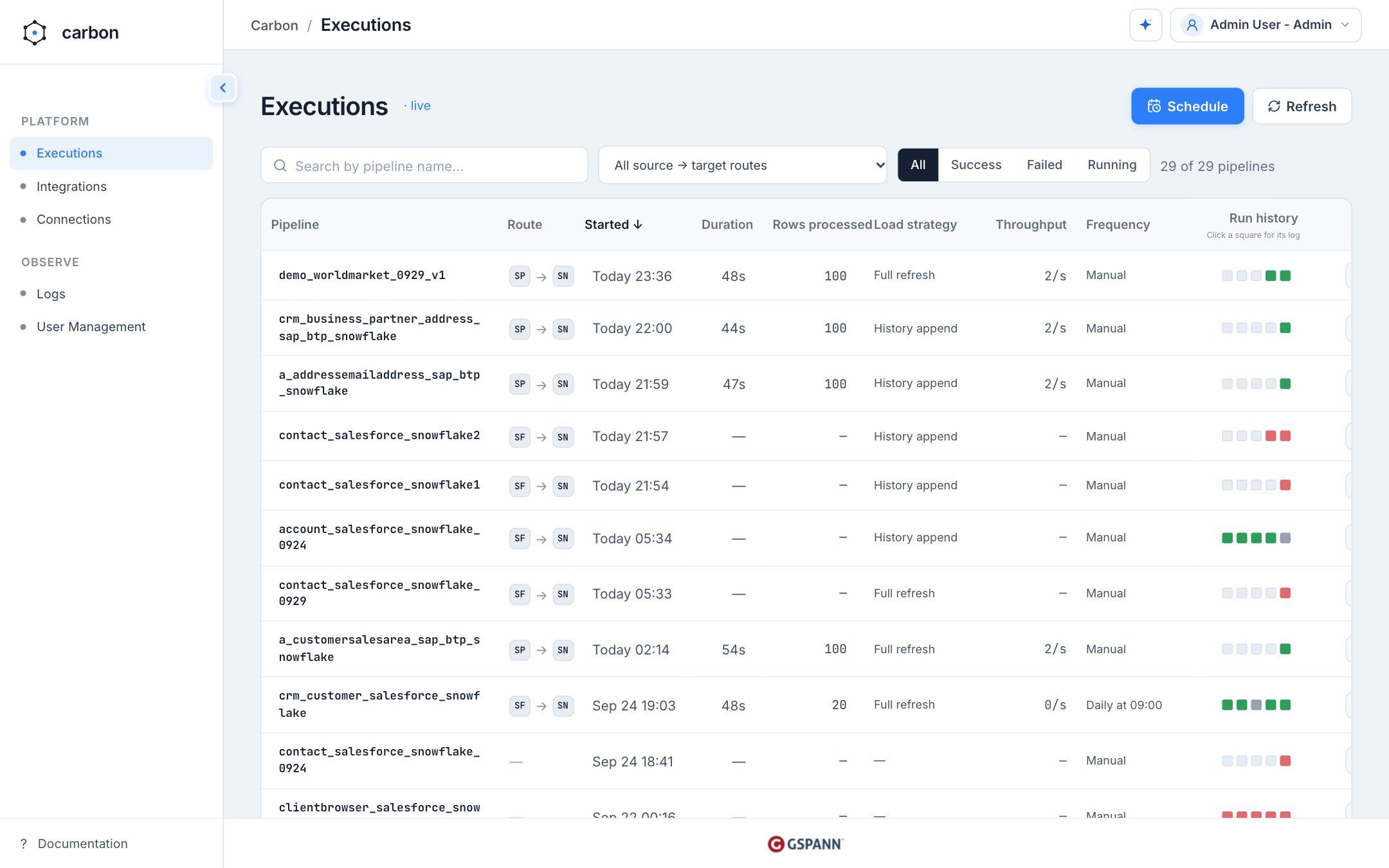
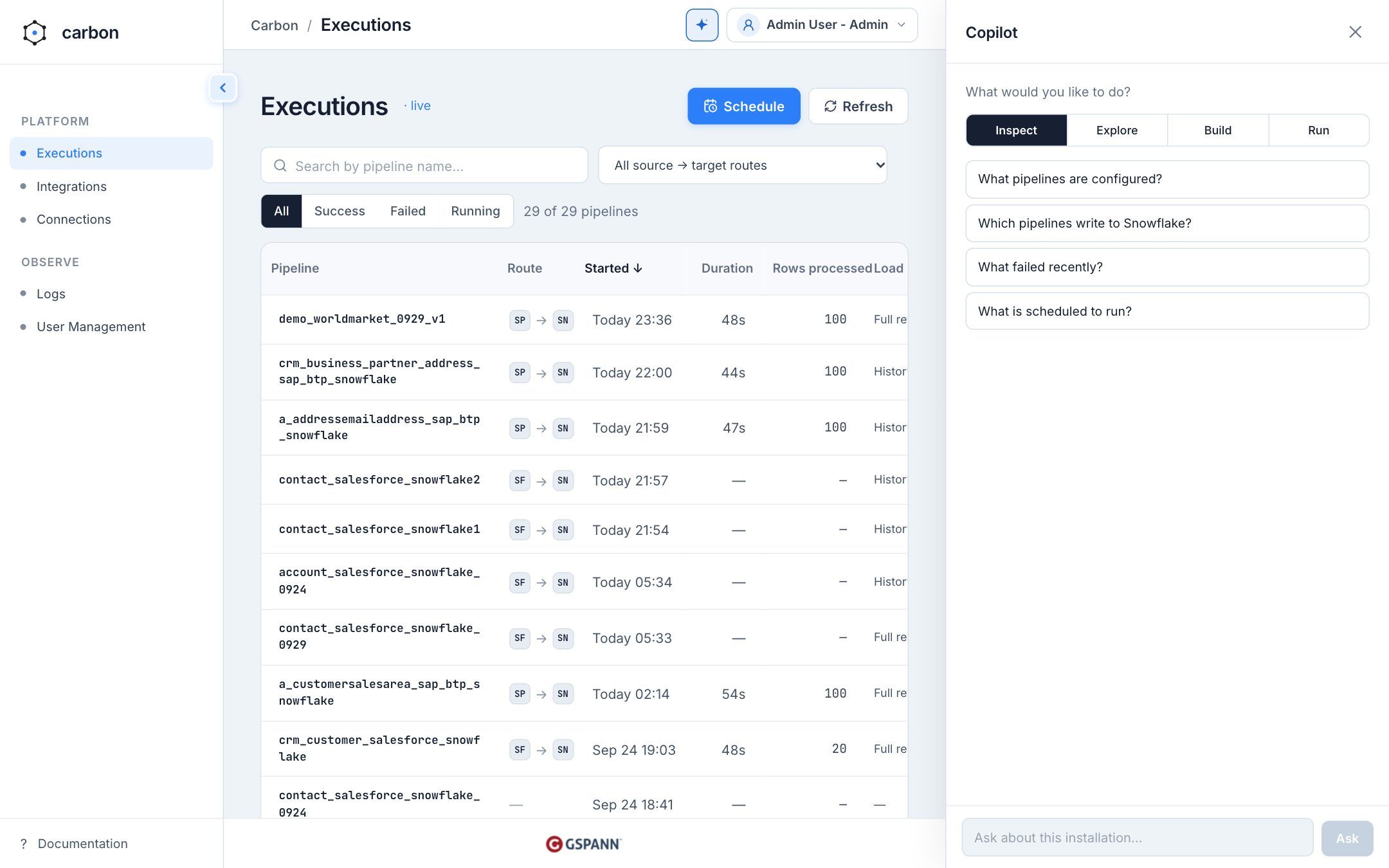
Executions

Executions

Run any pipeline and watch its status and throughput live. The last five runs show as colored squares, and clicking one opens that run.

  • ✓ Every process YAML is listed, including pipelines that have never run
  • ✓ Schedule runs by the minute, hour, day, week, month, or quarter
  • ✓ Cancel a running pipeline. Cancelling does not roll back rows already loaded, so check the target before you rely on it
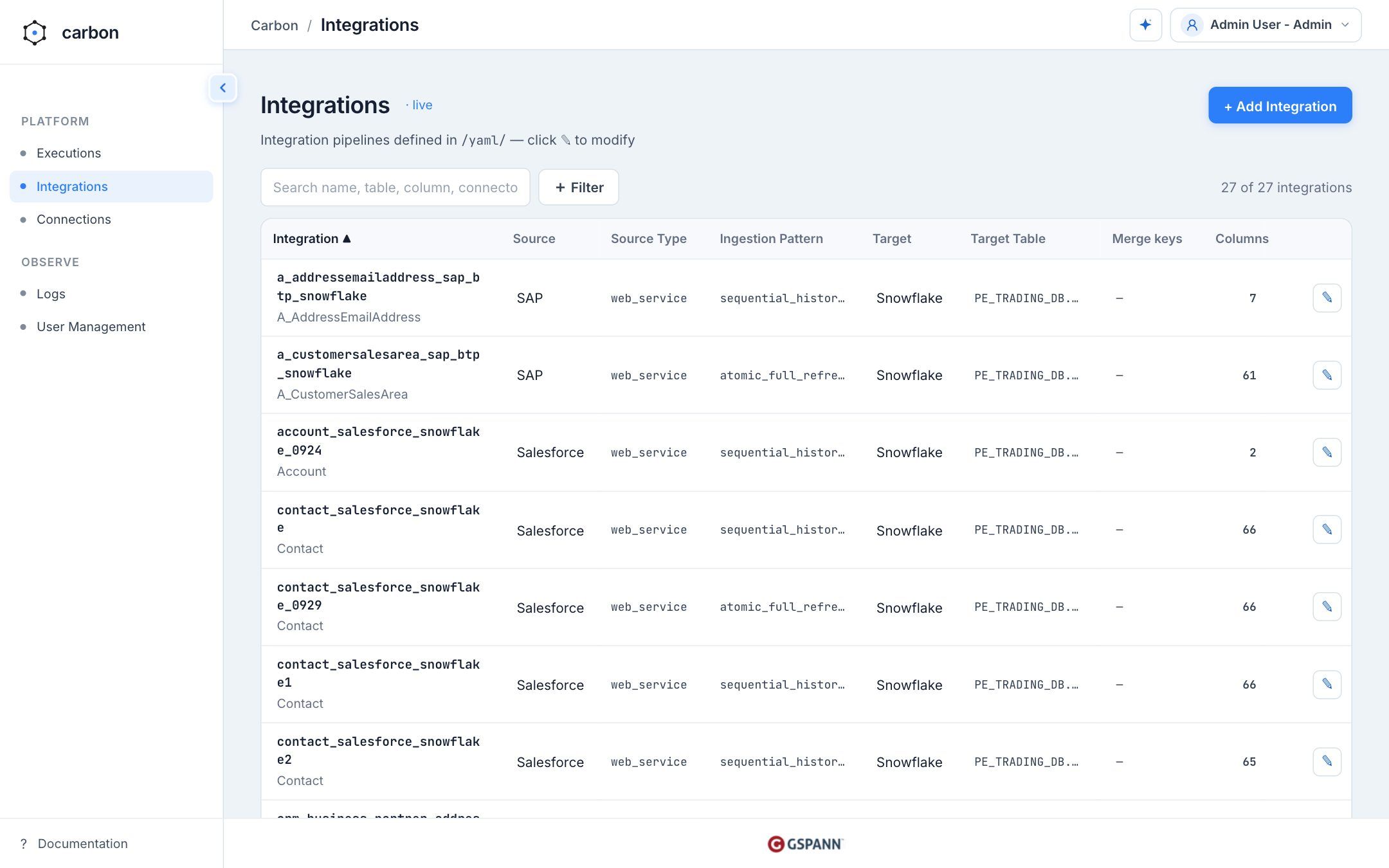
Integrations

Integrations

Search, filter, create, upload, and edit process YAML through a guided workflow.

  • ✓ Source, target, mapping, then a reviewed YAML preview
  • ✓ Uploaded YAML shows the same workflow preview before you create the pipeline
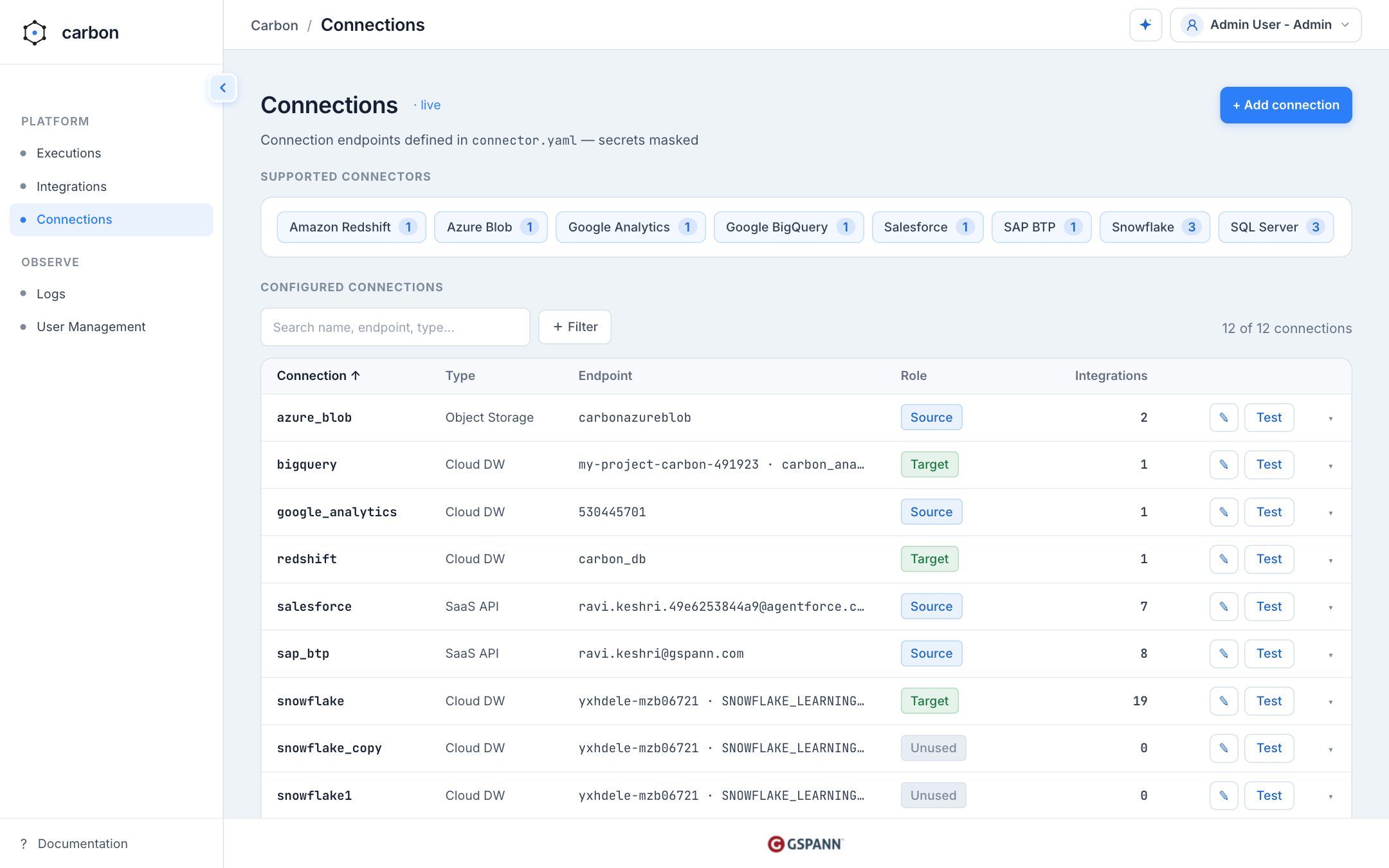
Connections

Connections

Test each connection before you save it, and see which integrations use it.

  • ✓ Secrets stay masked
  • ✓ Each connection shows whether it is a source, a target, both, or unused
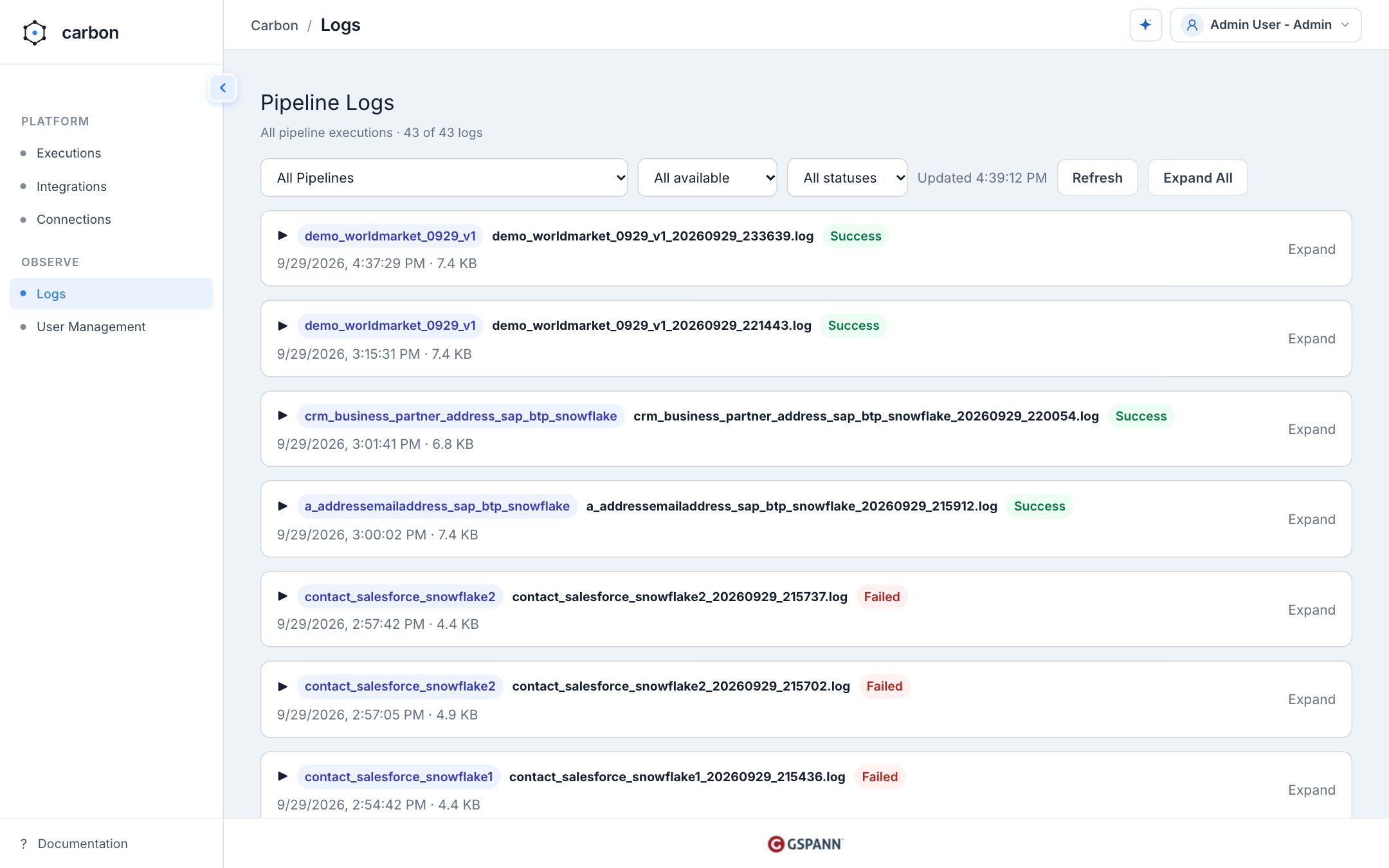
Logs

Logs

Search execution logs across pipelines by time window and status.

  • ✓ Active runs refresh while you watch
  • ✓ Switch between the workflow view and the full raw log
Copilot

Copilot

Ask in plain language from the spark button.

  • ✓ Inspects, explores, builds, and runs through the same MCP tools
  • ✓ Asks before it changes anything
Business Impact

Business Benefits

New Sources Without a Build Queue

  • A new source takes a YAML file and a connection test instead of a Spark project
  • Guided screens and the copilot draft the configuration, and your engineers review it
  • The same five load patterns cover every pipeline, so reviews go faster

Costs That Do Not Grow With Every Row

  • CARBON runs on your Spark runtime and loads into the warehouse you already pay for
  • No per-row or per-connector platform fee
  • Move the runtime between clouds for cost or speed without rewriting pipelines

Automation Your Auditors Can Follow

  • Every run carries a run ID and records whether a person, a schedule, or an agent started it
  • Agent and copilot actions, including refused calls, sit in one audit table
  • Row data never leaves your systems for the copilot or for MCP agents

See CARBON Run on Your Sources

Book a walkthrough and watch a YAML file become an audited, scheduled pipeline.